Just you, God and Scripture.

Cardinal is built for reading Scripture, sitting with it, and talking to God. There is no feed to scroll, no streak to protect, and nobody watching what you read.

Reading the Bible is free, always. No account, no sign-in.

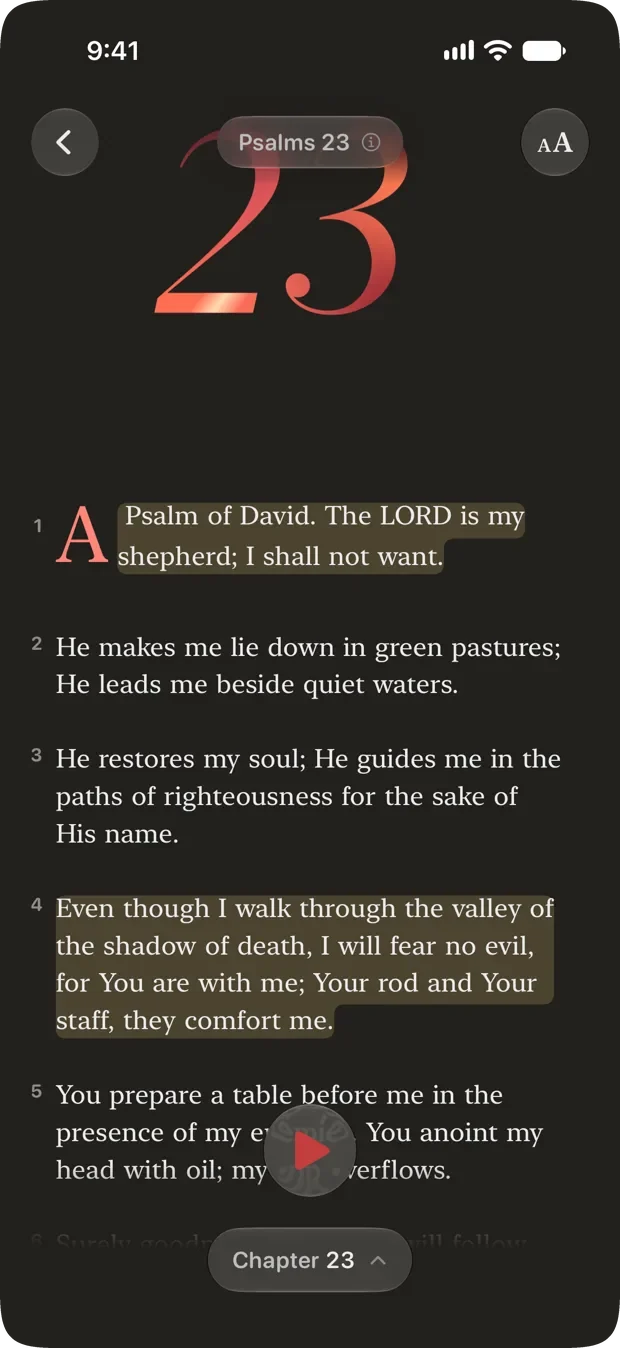
Psalm 23 open in Cardinal's reader, headed by a large red chapter numeral and a drop cap. Two phrases are highlighted, the second running across four lines as a single continuous marker stroke with every corner rounded.

Why Cardinal exists

Bible apps have become social platforms, full of feeds and features that distract you from simply reading the Bible.

Cardinal is different. It was built for one person, alone with Scripture, for as long as they want to stay there. Everything in it is judged by whether it helps you read, or pulls you away from reading.

That is why so much is missing on purpose.

  • NoFeed, comments, or profilesNothing you do here is performed for anyone.
  • NoStreaks, badges, or missed-day guiltNothing keeps score. Missing a day is not a failure.
  • NoAds, and no tracking you across appsYou are not the product being sold.
  • NoGate on readingThe Bible itself never sits behind a subscription.

Read

Plain modern English, from the first tap.

Cardinal opens on the Berean Standard Bible. No setup, no account, no choosing a plan before you are allowed to read a verse.

  • Seventeen translations. Eight live on your phone from the first launch and read offline, including the King James, Berean Standard, World English and Majority Standard Bibles. Five more are free and can be downloaded in full.
  • Highlight the exact words. Long-press and drag across a phrase and only those words are marked, not the whole verse around them. Where the phrase runs past a line break the mark stays one continuous stroke instead of stacked rectangles, rounded at every corner and set on the letters rather than floating above them.
  • Search that respects the wording. The words each translation chooses are not the same, so each one carries its own index rather than searching a shared text. The five free streamed translations build theirs once you download them.
  • Favorites and margins. Save a verse, or write a note that stays with the passage and is searchable in Bible order.
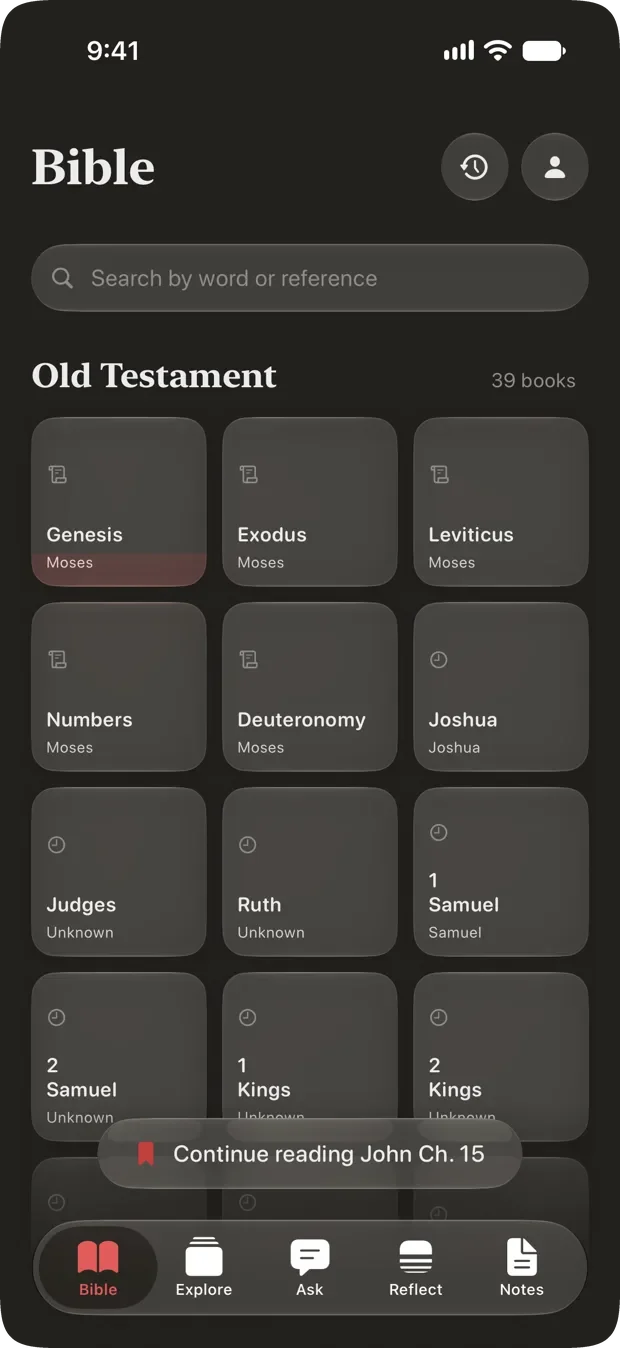
  • It remembers where you stopped. The book grid carries a pill back to the chapter you were last in, so picking the Bible up again is one tap rather than a hunt.
Cardinal's Bible tab: a search field reading Search by word or reference above the thirty-nine books of the Old Testament as a grid of cards, each naming its author, with a Continue reading John Ch. 15 pill resting above the tab bar.

Four study tools, one tap from the verse.

The study tools are not in a separate mode you have to go and find. Tap a word, a verse, or the chapter title, and they are already there. Three of the four below need no connection at all.

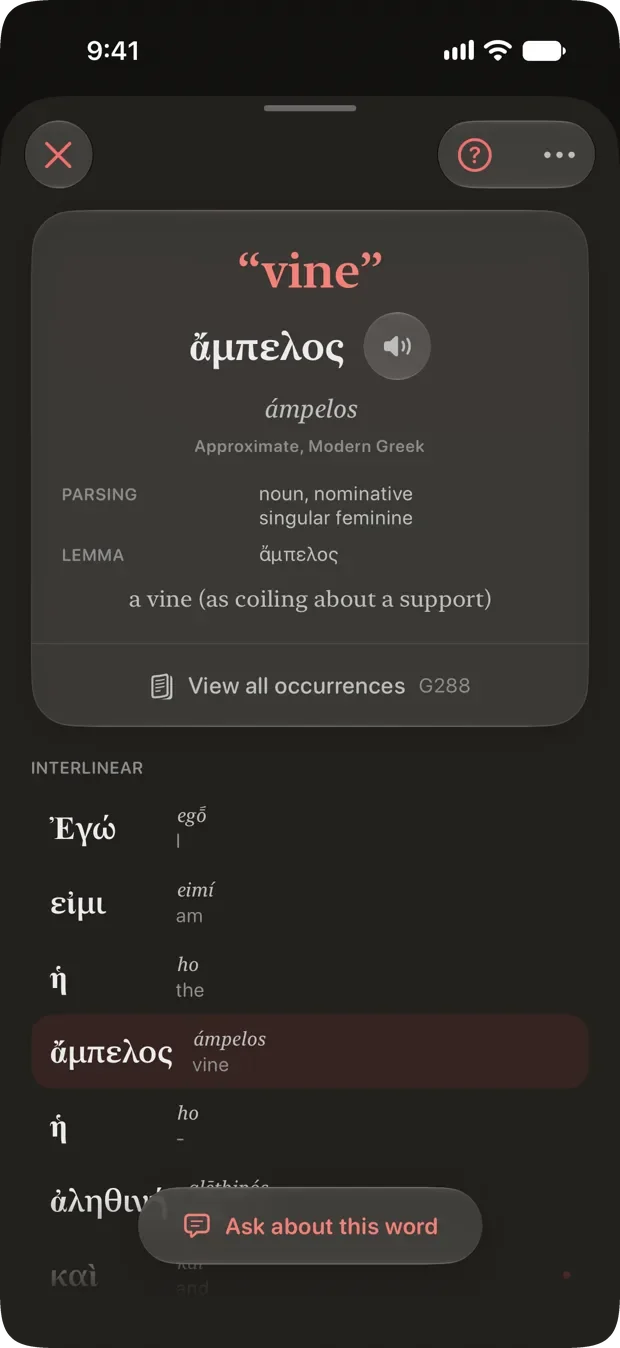
A word study sheet for the word vine, showing the Greek ampelos with its parsing and lemma above a tappable interlinear of the whole verse.
Word study The Hebrew or Greek behind a tapped word, with the whole verse as an interlinear underneath. When a word cannot be matched with confidence, it says so rather than guessing.
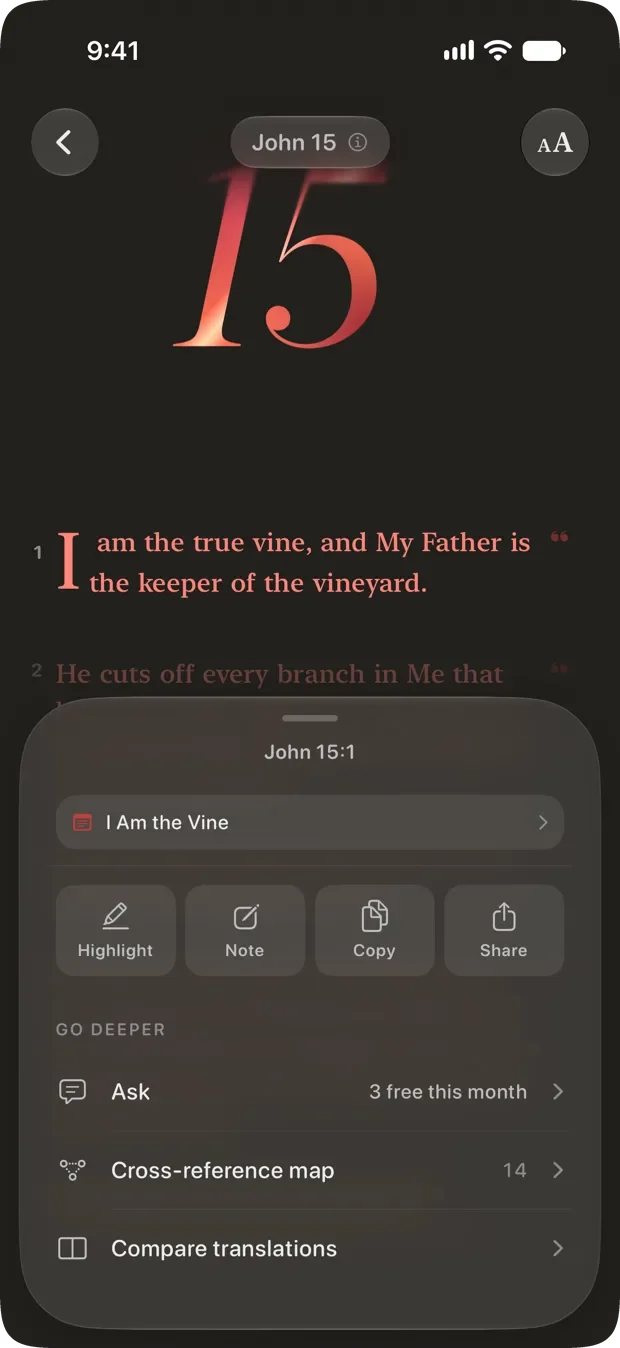
The verse action sheet for John 15:1, offering Highlight, Note, Copy and Share above Ask, Cross-reference map and Compare translations.
One sheet, one verse Highlight, note, copy, share. Then the study tools: ask about it, open its cross-references, or hold it against another translation.
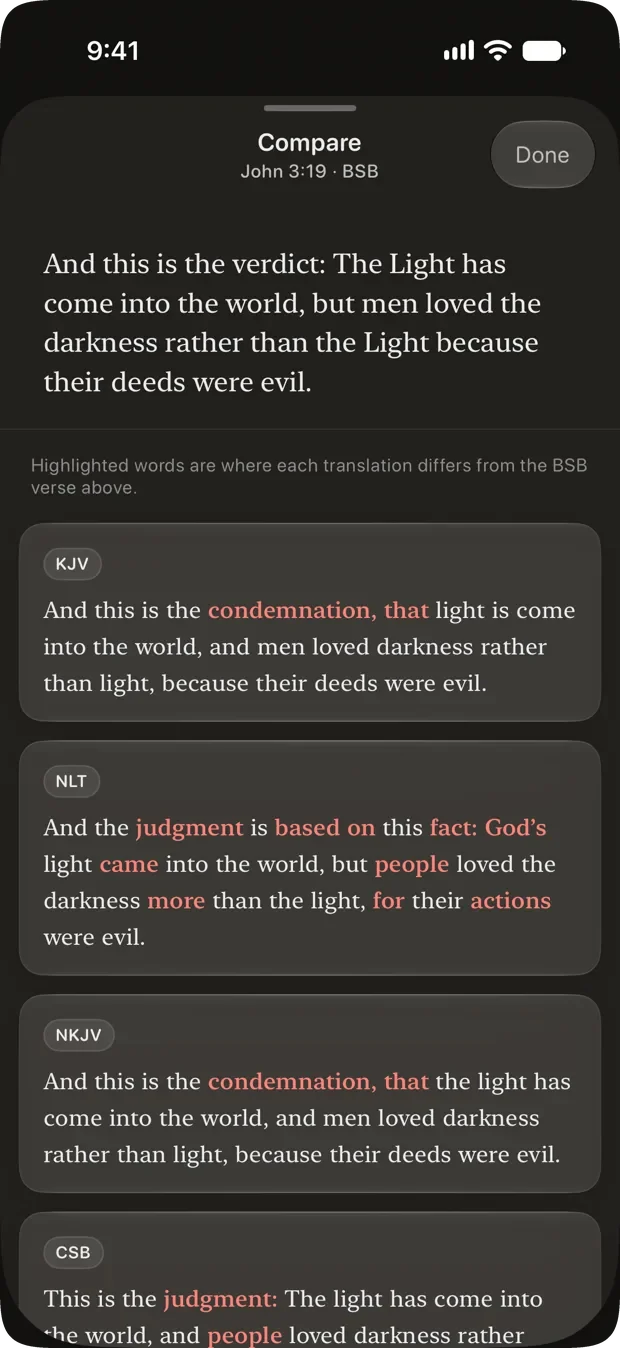
Compare translations for John 3:19, with the Berean Standard reading pinned on top and KJV, NLT, NKJV and CSB below it, the differing words picked out in red.
Compare translations One verse across the English translations at once, with the words that differ from yours picked out. For the moment a verse reads strangely and you want to know whether that is the translator or the text.
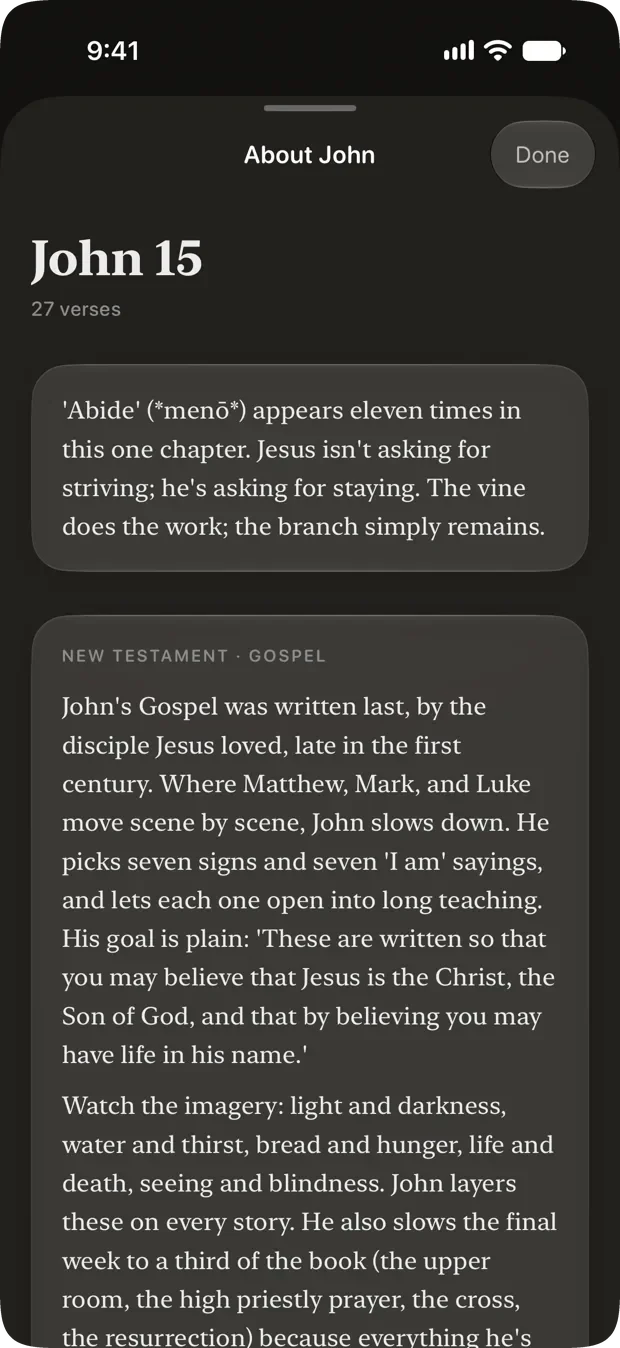
The chapter context sheet for John 15, showing the chapter's verse count, a note on the word abide, and a written brief on the Gospel of John.
Chapter context Where the chapter sits, how long it is, the places named in it, and a brief on the book. None of it is written by an AI. The facts are computed and the prose is written by a person.

Ask

“What does that actually mean?”

Everyone hits a verse they do not understand. Ask, and get an answer drawn from the passage in front of you: cross-references, word studies, historical context.

  • Thirty questions, answered in full, free. Why is there suffering. Did Jesus claim to be God. What happens when we die. No subscription, nothing to unlock.
  • Three of your own each month. Free, and they come back every month rather than running out for good.
  • Honest about uncertainty. “This passage is often interpreted as” rather than “this means.” Every answer shows the verses it rests on, so you can read the text yourself.
  • Your licensed translations stay private. Publisher-licensed text is never sent to the model. It reads a public-domain rendering, and only the name of your translation travels.
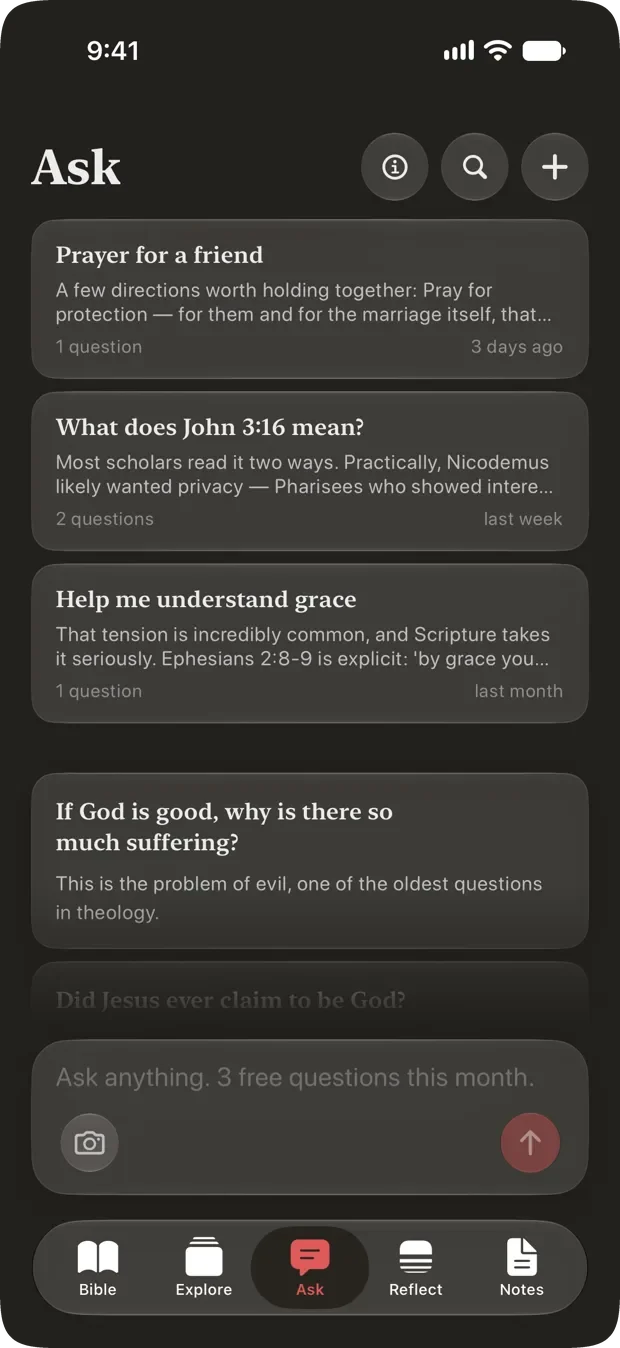
Cardinal's Ask tab, showing past conversations above a library of common questions and a composer reading Ask anything, three free questions this month.

Your own path

Describe what you are facing, and get a reading plan built around it.

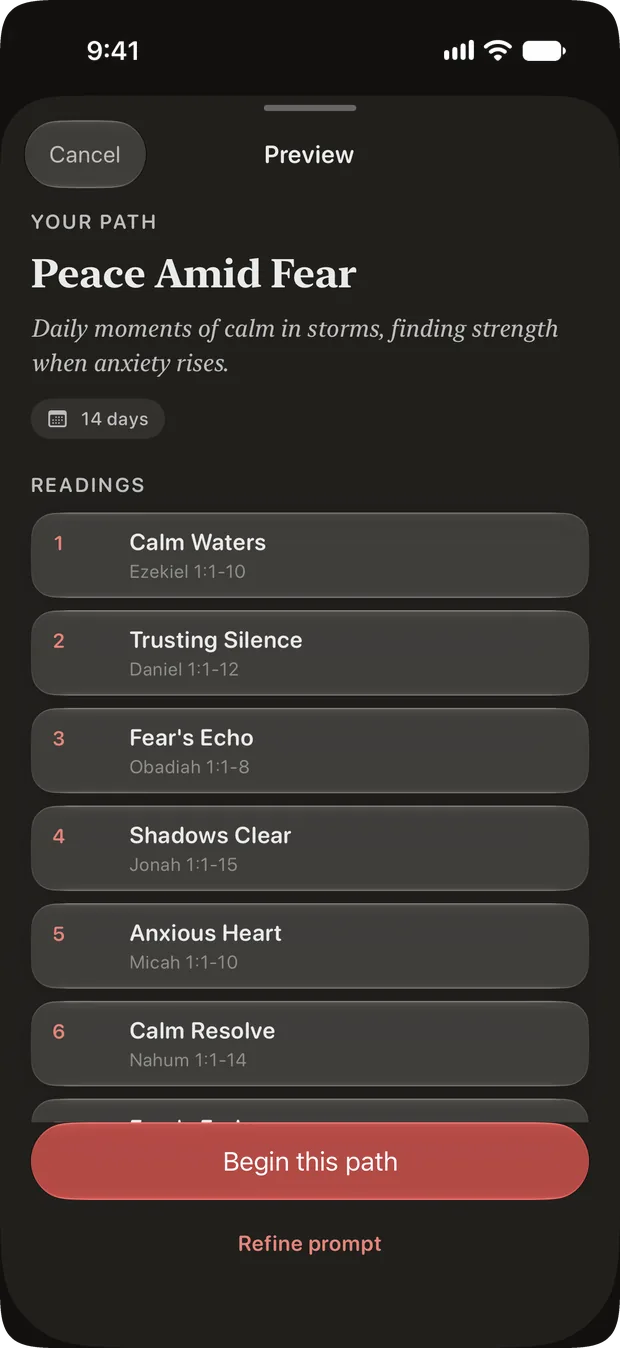
Say what you are going through in your own words and Cardinal builds you a day-by-day path through Scripture around it. Nothing to pick from a shelf, and nothing to pay.

  • In your own words. “Walking through grief.” “Waiting for news.” “A new baby, and no sleep.” “The Gospel of John, slowly.” Then choose how long, from a week to a year, and how much to read at a sitting.
  • You see the whole path before you start. Every day, its passage and why it is there, listed in full. Swap a day for a different passage, reorder them, or take one out. The days renumber themselves.
  • Built on your phone, where it can be. On an iPhone with Apple Intelligence the whole thing is shaped on the device. Your words and the path they produce never leave it.
  • Checked against the text. The titles and notes are written by AI. Every reference in the path is verified against the Bible itself before you see it.
  • It waits for you. A path moves forward when you finish a reading, never when the calendar does. Put it down for three weeks and you pick it up on the next day, not behind.
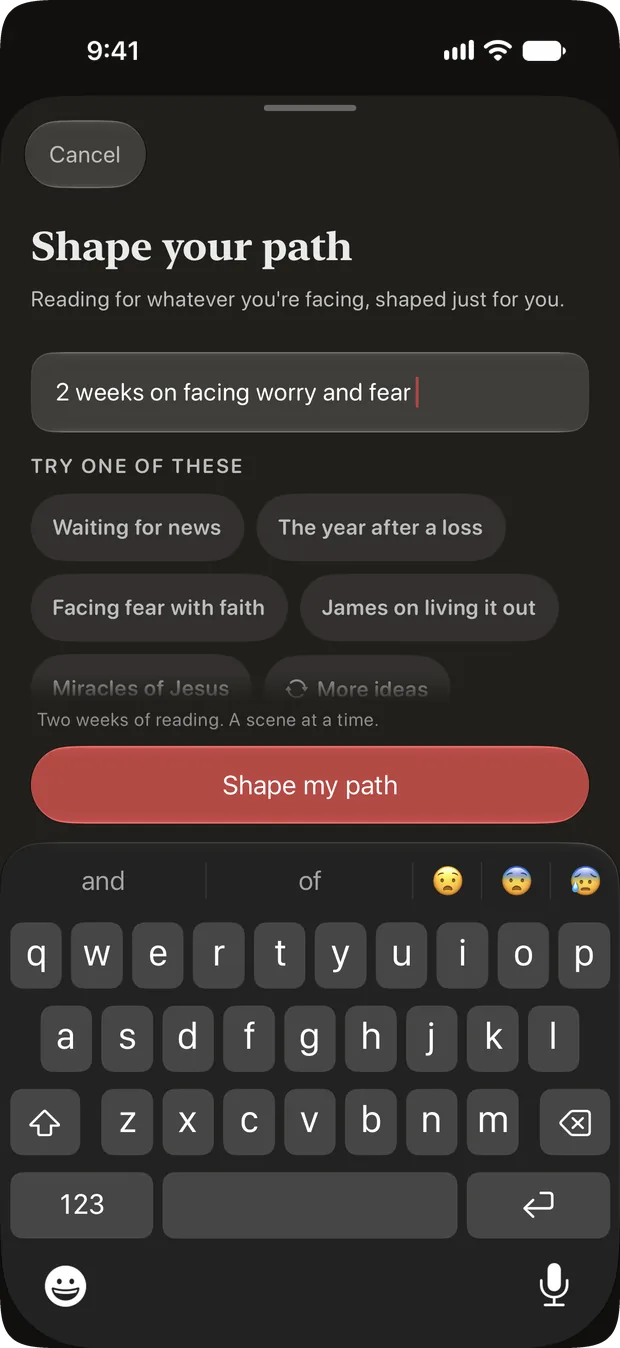
Cardinal's Shape your path sheet, with the words two weeks on facing worry and fear typed into it and suggested prompts underneath reading Waiting for news, The year after a loss and Facing fear with faith. The path Cardinal shaped from those words, titled Peace Amid Fear and marked fourteen days, with its readings listed in order above a Begin this path button and a Refine prompt link.

Reflect

One sitting a day, about fifteen minutes.

Cardinal’s Reflect tab holds one Quiet Time a day. You are never handed a chapter and left to it: each day is a curated passage of fifteen to twenty-five verses, the natural scene the text is built around.

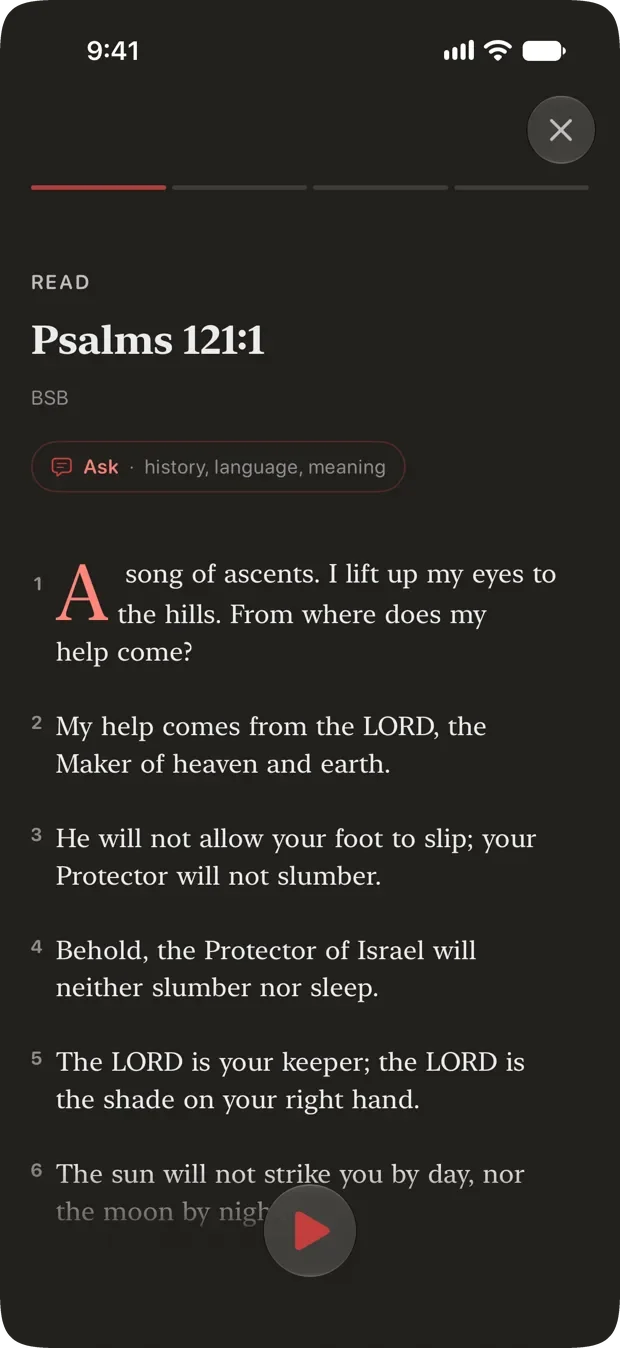
  • Six steps. Pause, read, reflect, apply, pray, close. The same shape every day, so you stop having to decide how to begin.
  • Nine curated paths. From the Story of Jesus in John, to thirty days in the Psalms, to the whole Bible in a year.
  • An evening sitting. After seven in the evening a shorter one appears to close the day. It never moves your place in the path.
  • A prayer list that remembers. Add what you prayed for at the close, and mark it answered when God shows up.
  • New to reading on your own? Start here. The whole thing is designed for someone who has never done this alone before.

Your archive is searchable, and it is private. Nothing keeps score.

The Read step of a Quiet Time, showing Psalm 121:1 with a step progress bar above it and an Ask chip beside the passage.

Memorize

Learn it by heart, without a scoreboard.

Two ways to practice, and a deck that quietly works out which verses you are still learning.

  • First letters. The shape of the verse stays on screen. The words go.
  • Hidden words. Blanks out more of the verse on each pass, until you can say it from the reference alone.
  • It asks how that went. Verses you are still learning come back sooner, waiting under “Ready to come back” rather than as a streak you broke.
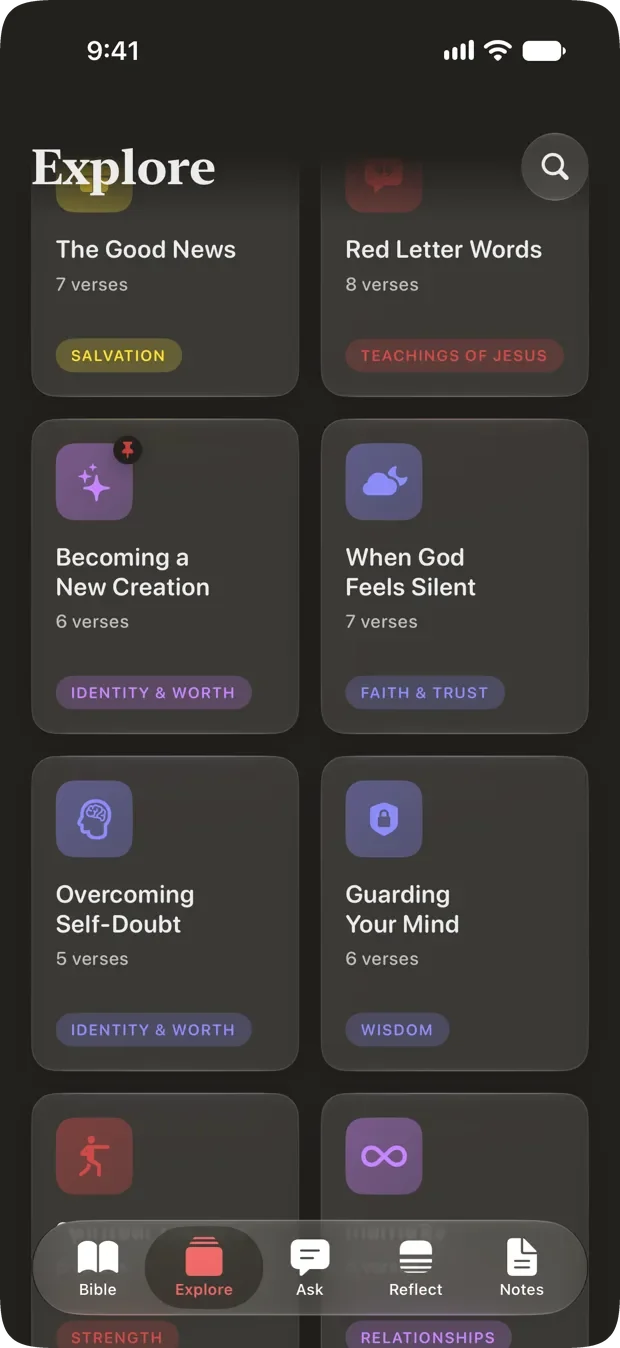
  • More than fifty curated packs. Grouped by what you are carrying: grief, anxiety, wisdom, thanksgiving. Or build a pack from your own verses.
Cardinal's verse packs, a grid of themed sets including The Good News, Red Letter Words and Guarding Your Mind.

Threads

Someone in Scripture has already been where you are.

Twenty-four lives from Scripture, each told as the handful of moments that actually made it. You find them by what they are about rather than by name, because you usually arrive carrying a situation and not a person.

  • Filed under what you are carrying. “The room you are afraid to walk into” is how you find Esther. “Burned out under a tree” is how you find Elijah. “Four days too late” is Martha.
  • The whole Bible, drawn to scale. Each life is flown across a strip of the entire canon, all 31,102 verses of it, with every moment plotted where it truly falls. Nothing is squashed to look tidy: Obadiah is the sliver it really is, and the Psalms are a slab.
  • Including the moments that land centuries later. Abraham’s last beat is in Hebrews, written some two thousand years after the rest of his life. The strip shows you that distance instead of tucking it away.
  • Every moment opens the text. A few lines of writing, then one to three verses with a reason each is there. The writing never quotes them, because its job is to send you to the passage rather than to stand in for it.
  • A hundred and forty moments, free. Written for Cardinal, checked against the Bible reference by reference, and on your phone whether or not you have a signal.

Eight themes in all, and every life sits under two or three of them. David is under shame, mercy and purpose. See all twenty-four.

Fear Loneliness Grief Shame Waiting Purpose Belonging Mercy
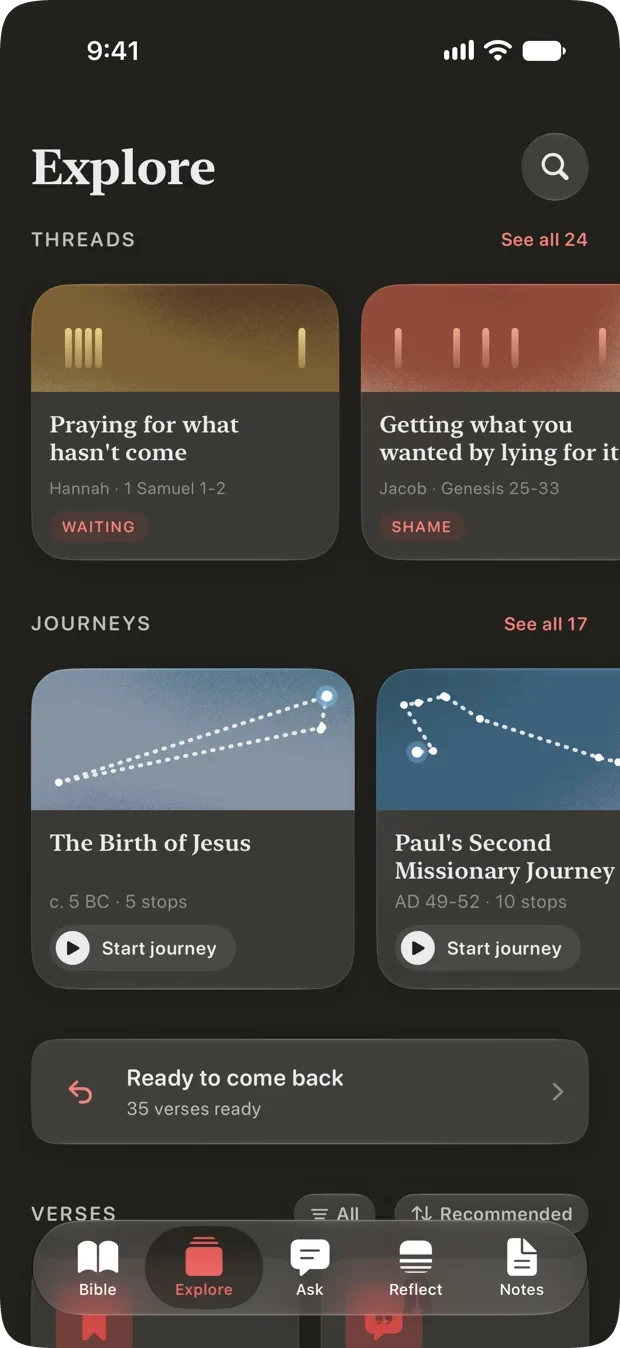
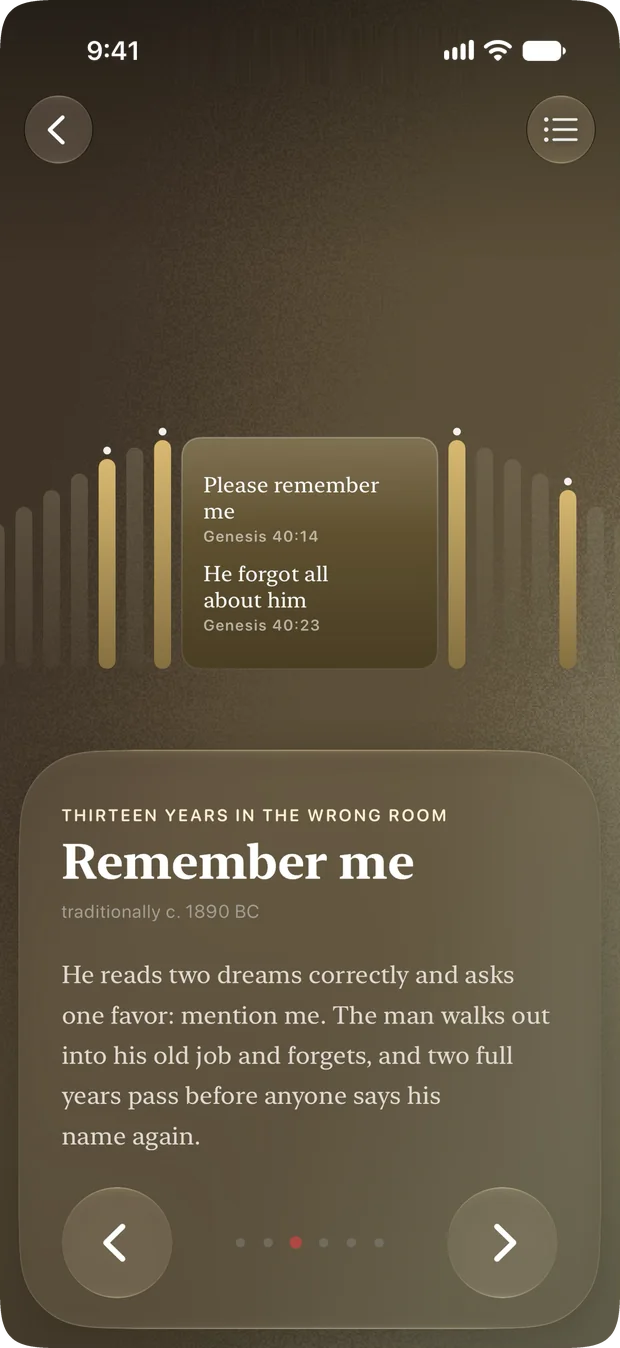
Cardinal’s Explore tab. A Threads shelf headed See all 24 offers Praying for what hasn’t come, Hannah in 1 Samuel 1 to 2, tagged Waiting, and Getting what you wanted by lying for it, Jacob in Genesis 25 to 33, tagged Shame. A Journeys shelf under it reads See all 17. One beat of Joseph’s thread, titled Remember me, from an arc called Thirteen years in the wrong room. Behind it the Bible is drawn as a row of bars with the beats of his life lit along it, and the beat offers Genesis 40:14, Please remember me, beside Genesis 40:23, He forgot all about him.

Journeys

Seventeen journeys, over the ground they happened on.

Paul’s voyages, Abraham’s road, the Exodus, Passion Week. Each one flies stop to stop across real 3D satellite terrain, so the distance between two places is the distance it was.

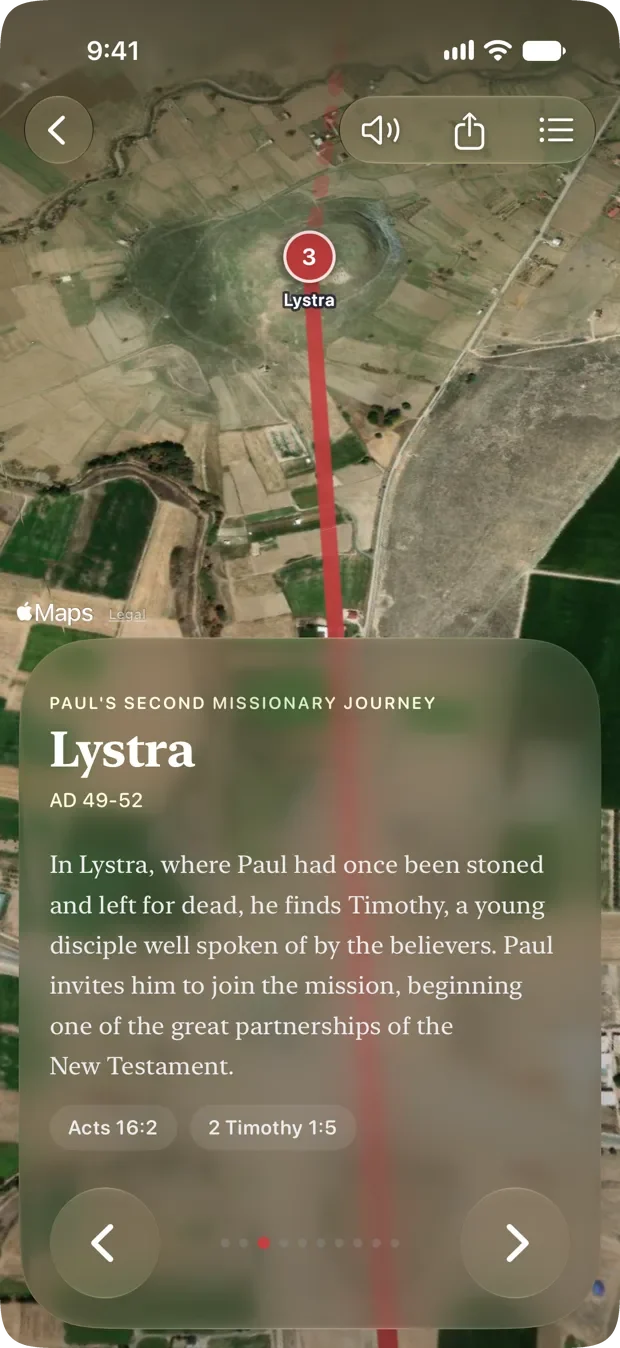
  • The actual ground. Not an illustrated map. Lystra is the hill Lystra sits on, seen from above, with the route drawn across it.
  • Every stop says what happened there. A short piece of writing, then the verses it rests on, which open straight into the reader.
  • Or have it read to you. Each stop’s narration can be spoken aloud while the camera flies, for the times you would rather watch than read.
  • Keep a place. Any stop shares as a card of the place itself, which is a better thing to send someone than a screenshot.
  • All seventeen, for everyone. No subscription. The journeys themselves ship inside the app; only the satellite imagery needs a connection.
Stop three of Paul’s Second Missionary Journey, Lystra, seen from above on satellite terrain with the route drawn through it in red. A panel below tells what happened there and offers Acts 16:2 and 2 Timothy 1:5 to open.

Notes

Built for the person preaching on Sunday.

Three kinds of notes, because they are three different jobs. A study is what you build when you are the one teaching. A sermon note is what you take when someone else is. A verse note is a thought while reading, and it stays on the passage.

  • Sermon notes shaped like sermons. A new one opens with Scripture and running notes. Big idea, main points with their own verses, Living It Out and action steps are there when you add them, in whatever order suits how you listen. Not a blank page to impose a structure on while someone is still talking. Group them into a series and each one knows it is Part 2.
  • A week of gathering, in one place. Whatever you find as you read goes onto one of seven shelves: passages and cross-references, words, people, places, illustrations, quotes, open questions. Or start it in one step, by naming the passage and saying what you are teaching. Cardinal proposes what it already holds, each with a line on why it belongs, found on your phone from bundled data so it cannot cite what it cannot point at. Nothing enters the study until you tick it.
  • An outline with room to write. Every point holds two things: the line you say out loud, and the prose underneath it, as long as it needs to be. The whole study exports as Markdown.
  • Podium mode, for the ten minutes that matter. Read-only, because the one place you must not accidentally edit a sermon is while you are giving it. Type sized for the distance to a lectern rather than for reading. Every passage is fetched when it opens, so a weak signal shows itself in the vestry while there is still time to pick up paper.
  • Cardinal will not write your sermon. Ask it to dig deeper and it answers with cross-references, context and word studies. It does not draft. The study, the structure and the words stay yours.

Editing a study is part of Cardinal Pro. Reading one, exporting one and preaching from one never are, so a lapsed subscription leaves years of preparation readable rather than locked away. How a week of sermon prep works.

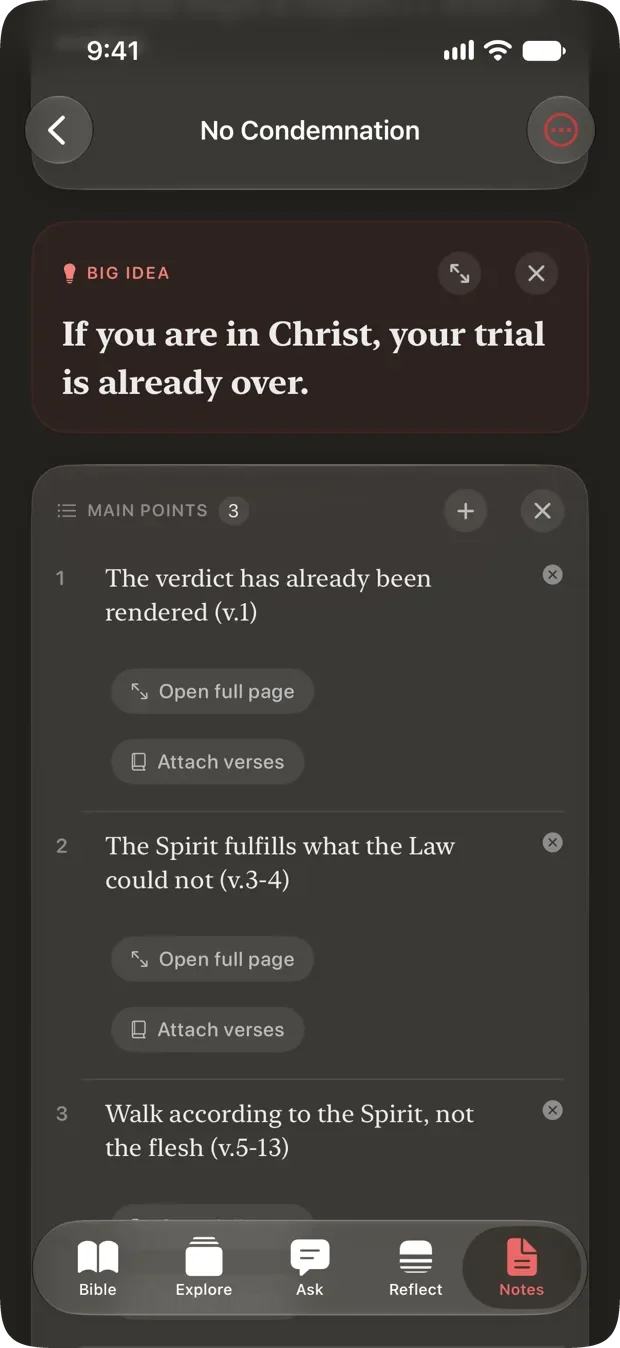
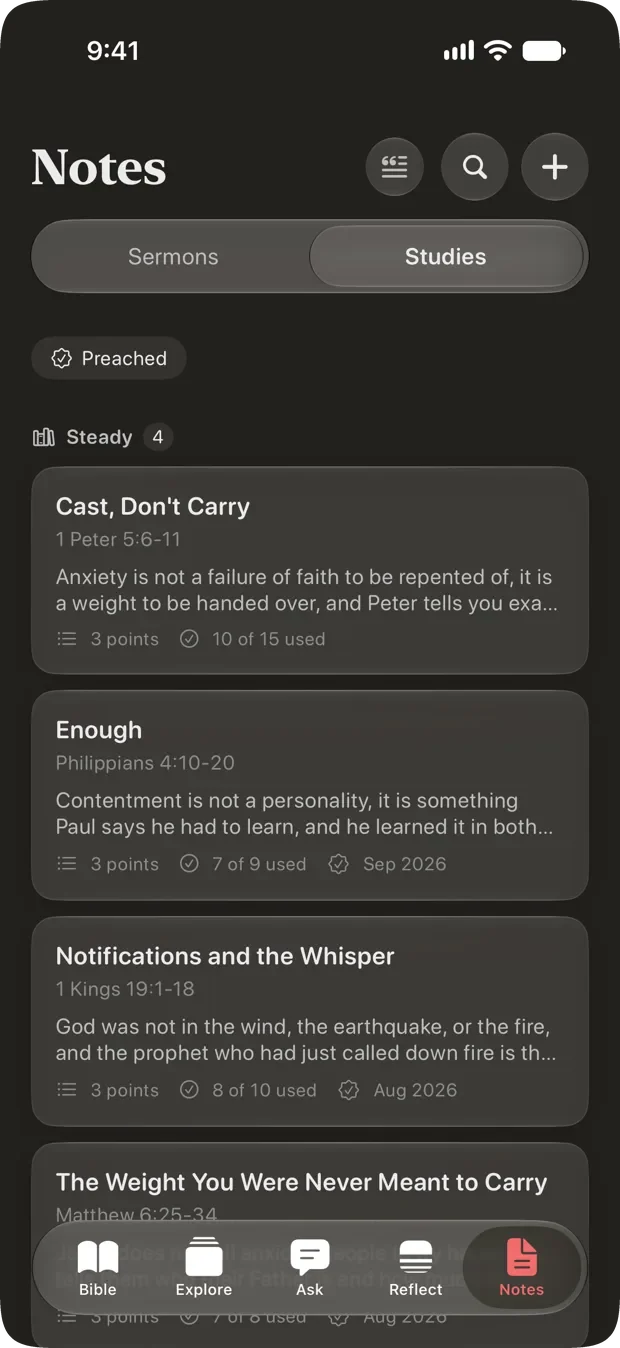
A sermon note titled No Condemnation. A Big Idea panel reads If you are in Christ, your trial is already over. Under it, Main Points numbered three, beginning The verdict has already been rendered, verse 1, each with buttons to open a full page or attach verses. Cardinal’s Notes tab with Studies selected beside Sermons, and a Preached filter above. A series called Steady holds four studies: Cast, Don’t Carry on 1 Peter 5:6-11, three points, ten of fifteen pieces of material used; Enough on Philippians 4:10-20, preached September 2026; and Notifications and the Whisper on 1 Kings 19:1-18.

Everything else in the app.

All of it is included for everyone, with no subscription. Where one part of something needs Pro, it says so below.

Listen

Scripture read aloud, with the words lighting up in time with the narration and the page following on its own. Six narrators, a sleep timer, adjustable pace, AirPlay, and it keeps playing on the lock screen.

Widgets

A Verse of the Day, today's Quiet Time passage, or your Memorize progress, pinned to the home and lock screen, so the first thing you see in the morning is the Word.

Apple Watch

Four glances: the verse, the next passage, what is playing, and a recall drill. It works cold, with your phone nowhere nearby. The complication is just the verse, not a number telling you how you are doing.

iPad

The same app, laid out for the larger screen. Good for a long sitting at a desk, or for reading two translations side by side.

Scan a page

Photograph a sermon slide or a bulletin and Cardinal pulls the references out of it, reading the picture on your device. Every one is checked against the Bible first, so a verse that does not exist never appears. Pick the ones you want and they go into your question in Ask.

Works offline

The eight bundled translations read and search with no connection at all, and the five other free ones do the same once you download them in full. Memorizing, highlighting and note-taking work anywhere. Audio and Ask need a signal, and so do the four Pro translations, which their licenses keep stream-only.

Five stars, from the people reading it.

Every rating Cardinal has on the App Store is a five. Here are three of the reviews, in full.

5.0 13 ratings on the App Store

The best bible app

This thing is 3.6MB runs entirely on device, no cloud, no sub. This is the bible app for you, it will really help you memorize scripture, finally.
swlkr

This app is amazing

Very well designed and makes studying and memorizing scripture very easy. Would love to be able to add my own verses someday.
HanzJames

It’s an amazing app

Personally, sometimes I just need something quick while I’m on the go. The practice verse challenge is the best, I just learned how to flip back and forth with the simple button layout when a hard one comes up!
Cardinal will not write your sermon: the study, the structure, and the words stay yours. A promise in the source code

Seventeen translations.

Thirteen of them are free, and they always will be. Reading Scripture never requires a subscription.

Free, and read fully offline

King James Berean Standard World English Majority Standard Reina-Valera 1909 Louis Segond 1910 Almeida 1911 和合本 (简体)

Free, streamed or downloaded

Luther 1912 Elberfelder 1871 Menge-Bibel Синодальный перевод 和合本 (繁體)

With Cardinal Pro

New King James New American Standard Christian Standard New Living Translation

Licensed from their publishers. Each one comes with a free day to try, once, so you can read it before deciding. Read two side by side and see where they differ. These four are the only translations that need a connection every time: their licenses do not allow Cardinal to store the text, so they cannot be downloaded or searched offline.

Nine languages.

Every menu, book name and answer follows the language your phone is set to.

English Español Português Français Deutsch Русский 한국어 简体中文 繁體中文

Eight of the nine also read a Bible in that language. A Korean translation is not licensed yet, so Korean currently reads with an English text.

Nobody is watching you read.

What you underline, what you pray about, and what you ask are some of the most private things a person has. Cardinal is built so that they stay that way.

Read the full privacy policy

  • No accountNo name, no email, no sign-in. Nothing to create before you can read.
  • No ads, and no cross-app trackingNo advertising identifiers, and no permission prompt asking to follow you elsewhere.
  • Your writing is yoursSittings, notes, prayers and highlights stay on your device, and with iCloud on, in your own private iCloud. They are not on a server anyone here can read.
  • Nothing sent that does not need to bePhotos you scan are read on your device and never uploaded. Payment is handled entirely by Apple.

Free, and what Pro adds.

Cardinal is free to download and free to use. Reading the Bible is free and stays free. A subscription covers the two things that cost money to run: the translations licensed from their publishers, and the AI behind Ask.

Cardinal

Free

  • The whole Bible in thirteen translations
  • Quiet Time, and every curated path
  • Describe your own reading path and have it built for you
  • Memorize, and every verse pack
  • All seventeen Journeys
  • Sermon notes, verse notes and the prayer list
  • Audio, widgets and the Apple Watch app
  • Thirty questions answered in full, plus three of your own each month

Cardinal Pro

A subscription

  • Everything in the free version, plus…
  • Ask, beyond the free monthly questions
  • The NKJV, NASB, CSB and NLT
  • Two translations side by side
  • A deeper reflection on any sermon point
  • Build and edit your own studies

A study you have already written stays readable and exportable even if a subscription lapses.

Download on the App Store

Free to download, and free to keep reading. Pro is optional, and you decide inside the app.

The App Store shows what Cardinal Pro costs where you are.

Questions people ask first.

The short answers, before you download anything.

Is Cardinal free?

Yes. Cardinal is free to download and free to use, with no account and no sign-in. Reading the Bible is free in thirteen translations and always will be. Quiet Time, Memorize, Threads, Journeys, audio, notes, widgets and the Apple Watch app are all included for everyone. Cardinal Pro is an optional subscription covering the four translations licensed from their publishers, unlimited use of Ask, side-by-side reading, and editing your own studies. The App Store shows what it costs where you are.

Can I study the people in the Bible?

Yes, and it is free. Threads tells twenty-four lives of Scripture as the handful of moments that made them, browsed by what they are about rather than by name: fear, loneliness, grief, shame, waiting, purpose, belonging and mercy. Esther is under “the room you are afraid to walk into,” Elijah under “burned out under a tree.” Each life is flown across a strip of the whole Bible with its moments plotted where they actually fall, and every moment offers the verses it rests on. The twenty-four are Abraham, Daniel, David, Elijah, Esther, Gideon, Hagar, Hannah, Hosea, Jacob, Jeremiah, Job, Jonah, Joseph, Martha, Mary, Moses, Naomi, Nehemiah, Paul, Peter, Rahab, Ruth and Solomon.

Do I have to make an account?

No. There is no name, no email, no password and no sign-in anywhere in Cardinal. You open the app and you are reading. Your sittings, notes, prayers and highlights live on your device, and with iCloud turned on, in your own private iCloud.

Does Cardinal work offline?

Yes, in thirteen of the seventeen translations. Eight are bundled with the app and read and search with no connection at all: the King James, Berean Standard, World English and Majority Standard Bibles, Reina-Valera 1909, Louis Segond 1910, Almeida 1911, and 和合本 (简体). The five other free translations stream a chapter at a time and keep it, and you can download any of them in full from the translation picker. The four Pro translations are the exception: their publishers do not permit storing the text, so those read from a connection every time and are never searchable offline. Highlighting, notes and memorizing work anywhere.

Are there streaks, badges or a feed?

None of them. No feed, no comments, no profiles, no streaks, no badges, and no notification telling you that you missed a day. Nothing in Cardinal keeps score, because nothing in it is performed for anyone else.

Which translations are included?

Seventeen. Eight are free and fully offline, five more are free and streamed (Luther 1912, Elberfelder 1871, Menge-Bibel, Синодальный перевод and 和合本 (繁體)), and four come with Cardinal Pro: the New King James, New American Standard, Christian Standard and New Living Translation. Each Pro translation includes one free day to try it, once.

Can I build my own reading plan?

Yes, and it is free. Describe what you are facing in your own words, choose a length from a week to a year, and choose how much to read at a sitting. Cardinal builds a day-by-day path and shows you the whole thing before you begin, so you can swap a passage, reorder the days or remove one. On an iPhone with Apple Intelligence the path is built entirely on the device. A path advances when you finish a reading rather than when the calendar does, so a gap never leaves you behind.

Does Cardinal track me or show ads?

There are no ads, no advertising identifiers and no tracking across other apps, which is why Cardinal never shows you the permission prompt asking to follow you. What you underline, pray about and ask is not on a server anyone here can read. Photos you scan for a verse are read on your device and never uploaded, and payment is handled entirely by Apple. There is anonymous, aggregate product analytics and Apple Search Ads install attribution; neither identifies you.

Which devices does it run on?

iPhone, iPad and Apple Watch, on iOS 17 or later. The iPad layout uses the larger screen, including reading two translations side by side. The Watch app has four glances and works with your phone nowhere nearby. Cardinal is not on Android today.

Is what I read sent to an AI company?

Only what you deliberately ask. When you use Ask, your question and the surrounding passage are sent to be answered. Text licensed from a publisher is never sent: the model reads a public-domain rendering, and only the name of your translation travels with the question. Your notes, prayers, highlights and reading history are not part of it.

Read Scripture, sit with it, and talk to God.

That is the whole app. Everything else was left out on purpose.

Download on the App Store